Headed

Know the whole road ahead.

Headed shows your entire route on one map — where you are on it, how much is left, and what's worth stopping for. When you want the turns, it hands off to Apple Maps in a tap.

TestFlight beta opening soon — the join link lands here first.

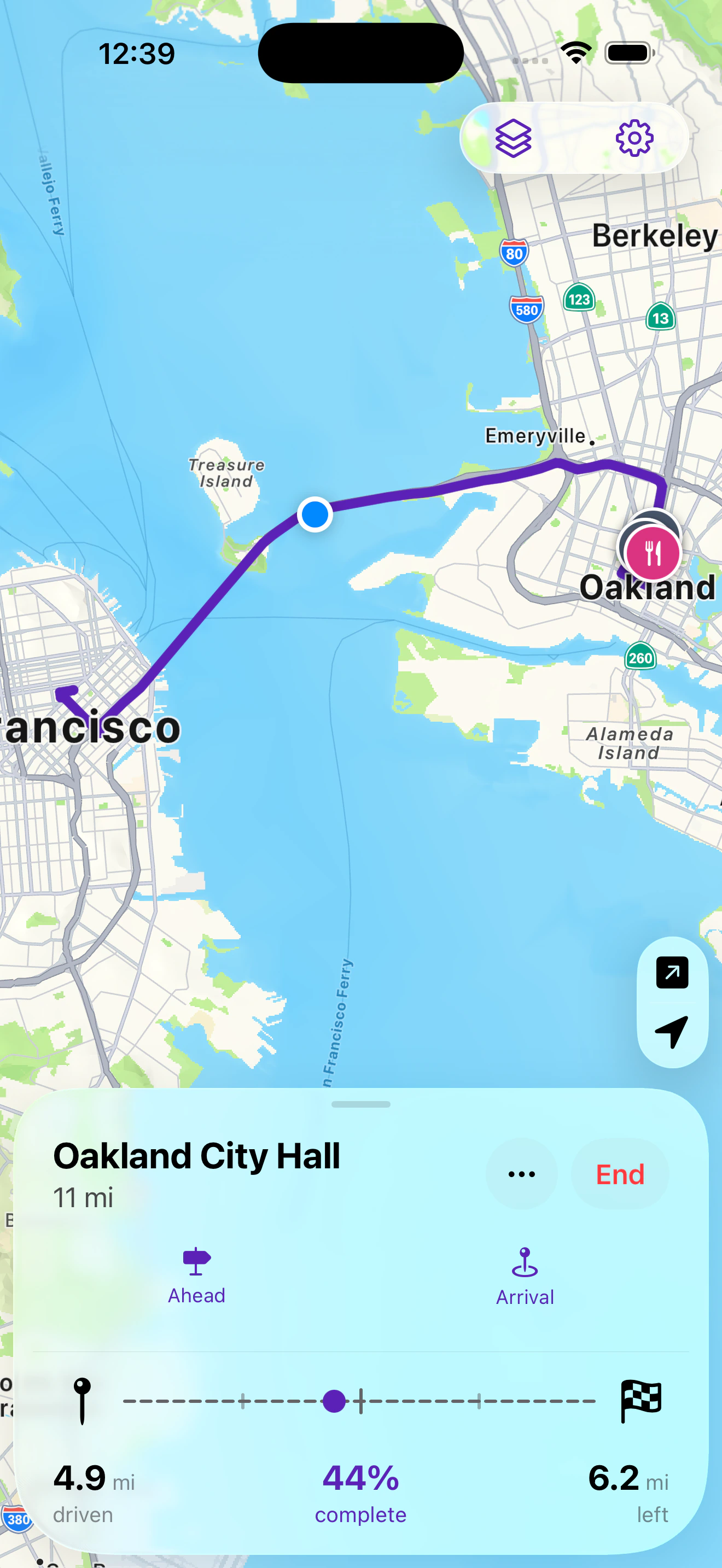
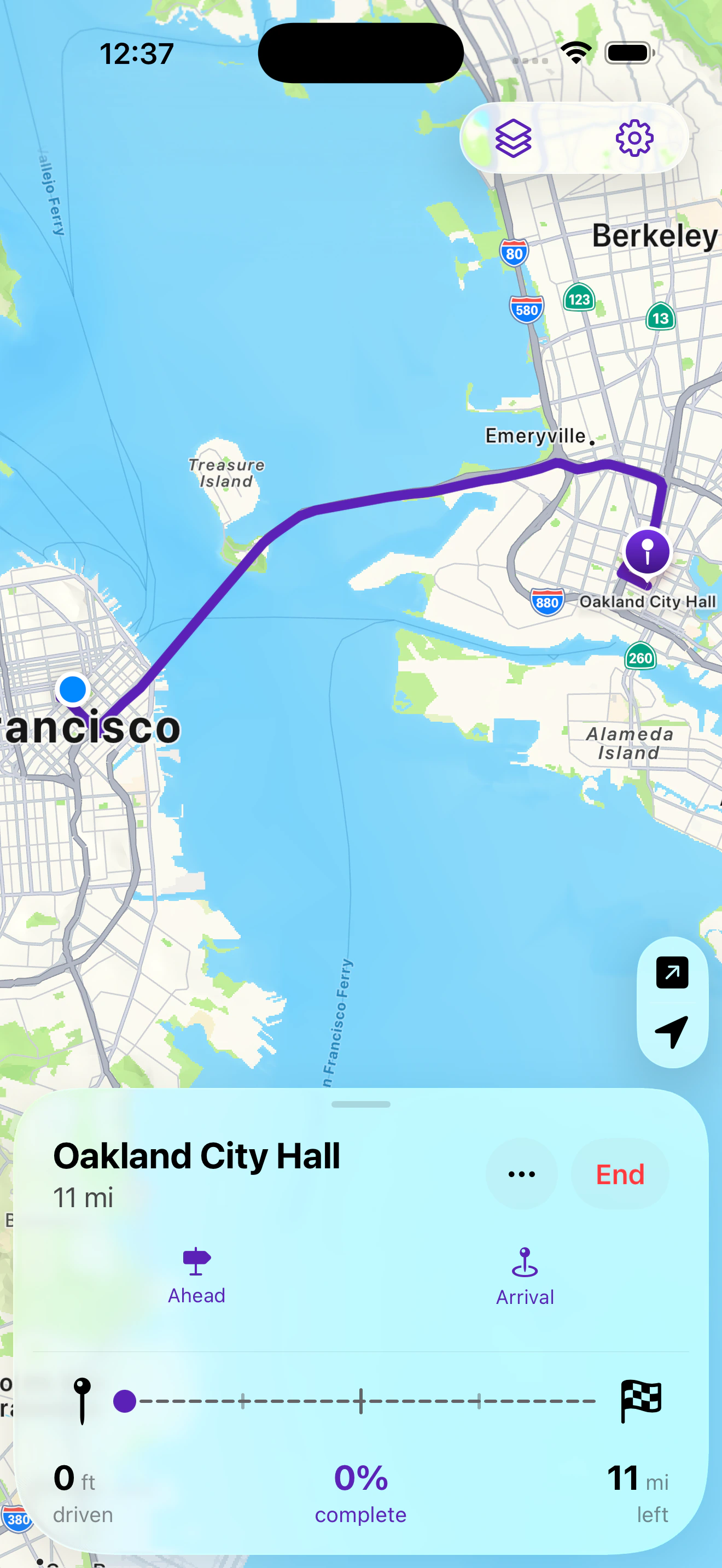
Headed showing a committed route from San Francisco to Oakland City Hall, with distance driven, percent complete, and distance remaining.

The two that matter

Ahead and Arrival

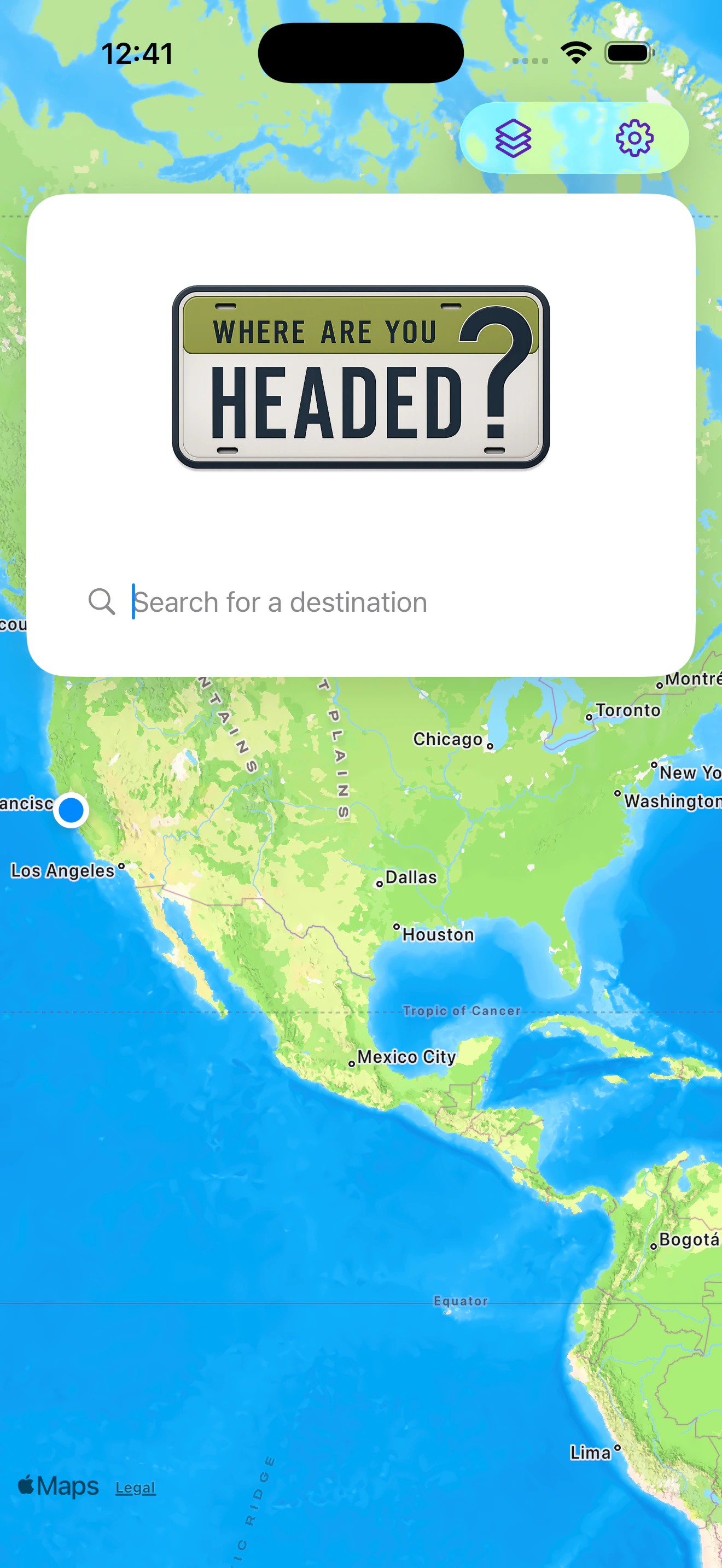
Two searches, two different questions. Most map apps only answer one of them — and once you're moving, it's the wrong one.

Ahead

What's coming up, on the road you're already on

Headed searches a corridor along your route, not a circle around your car. So the gas station it finds is one you'll actually pass — not one four miles back the way you came.

One row each for food, restroom, gas, and charging, with the distance ahead. Open a row for more options, or set preferred brands so your chain comes first.

  • Distances measured forward along the route, not as the crow flies
  • EV charging shows real power ratings, not just a pin
  • Never leaves the map — the route stays on screen behind it
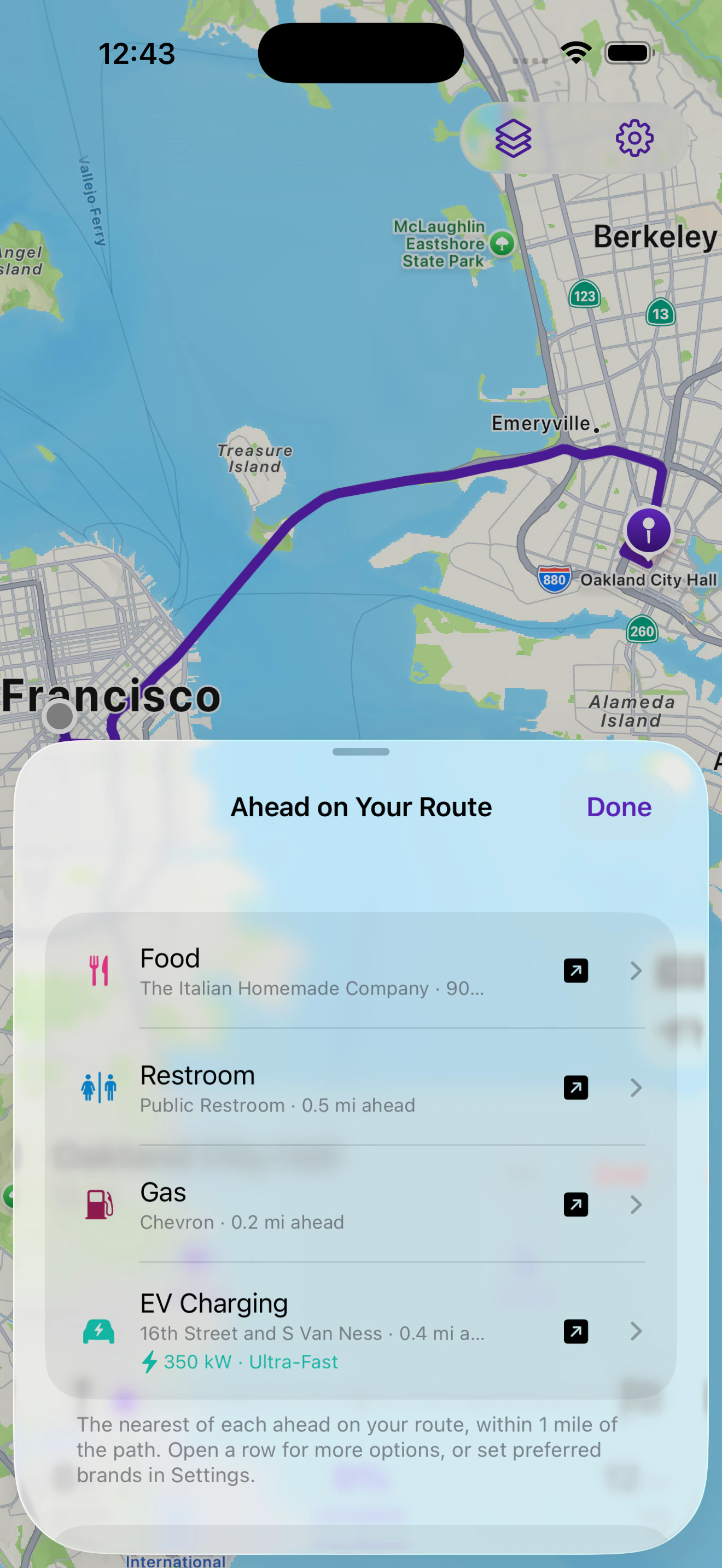
Ahead on Your Route: Food 900 feet ahead, Restroom 0.5 miles ahead, Gas at Chevron 0.2 miles ahead, and EV charging at 350 kilowatts 0.4 miles ahead.

Arrival

Where the car goes, before you're circling the block

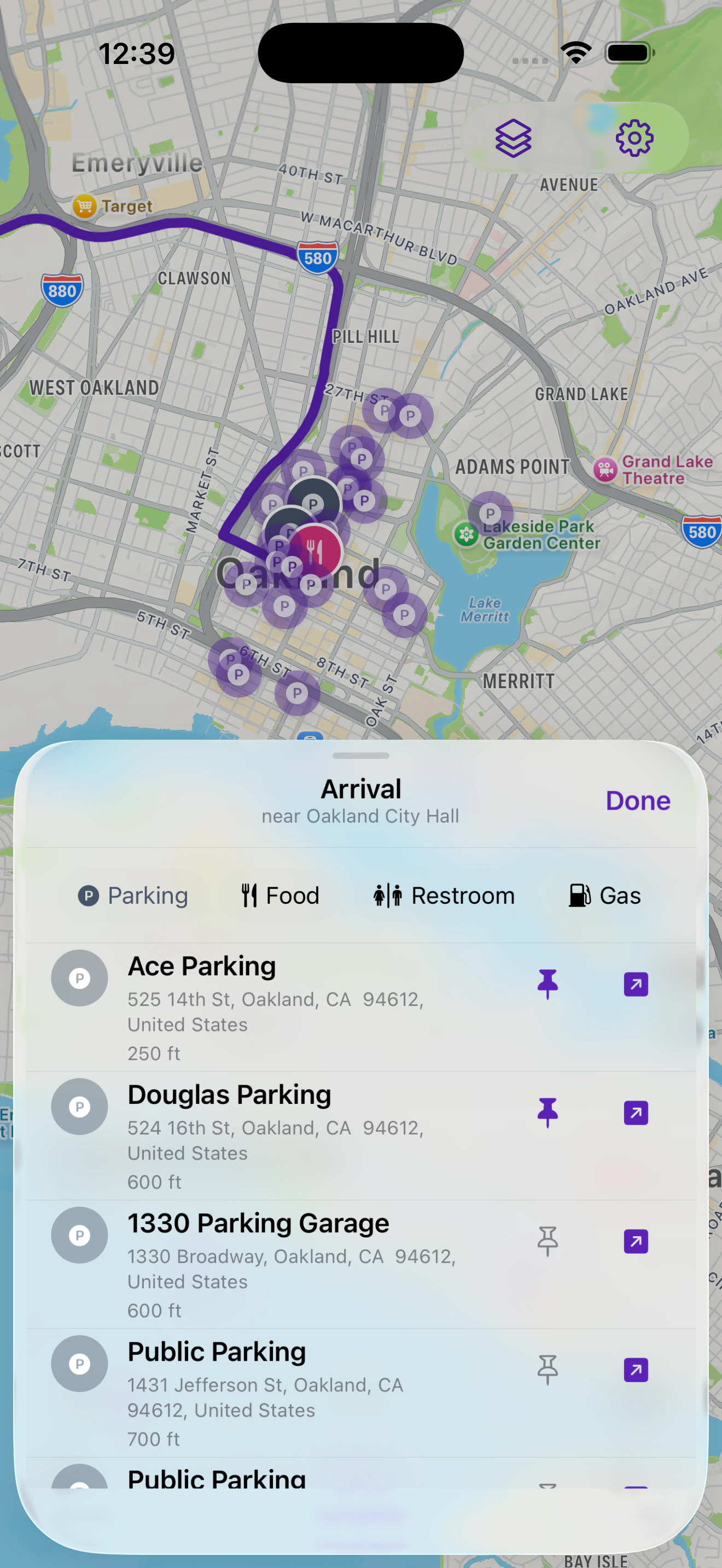
Arrival searches around your destination — because a radius around a moving car goes stale the moment you drive on, and parking is an arrival problem, not a mid-drive one.

Ask it from an hour out and the answers are still right when you get there. Pin the ones you like and they stay on the map as you approach.

  • Distances read from where you're going, not where you are
  • Parking, food, restrooms, gas, and charging around the destination
  • Pinned places persist on the route map for the rest of the drive
The Arrival sheet near Oakland City Hall, listing Ace Parking 250 feet away and Douglas Parking 600 feet away.

One trip, start to finish

The whole drive, laid out like a map

Every feature sits somewhere on the line you're actually driving — that's the difference between Headed and a list of upcoming turns.

0 mi

Pick your line

Alternate routes side by side, with distance and time, before you commit to one. Add a stop and the whole trip recalculates around it.

4.9 mi

Ahead

Mid-drive, without leaving the route: the nearest food, restroom, gas, or charging still in front of you. See how it works.

9.2 mi

Weather on the line

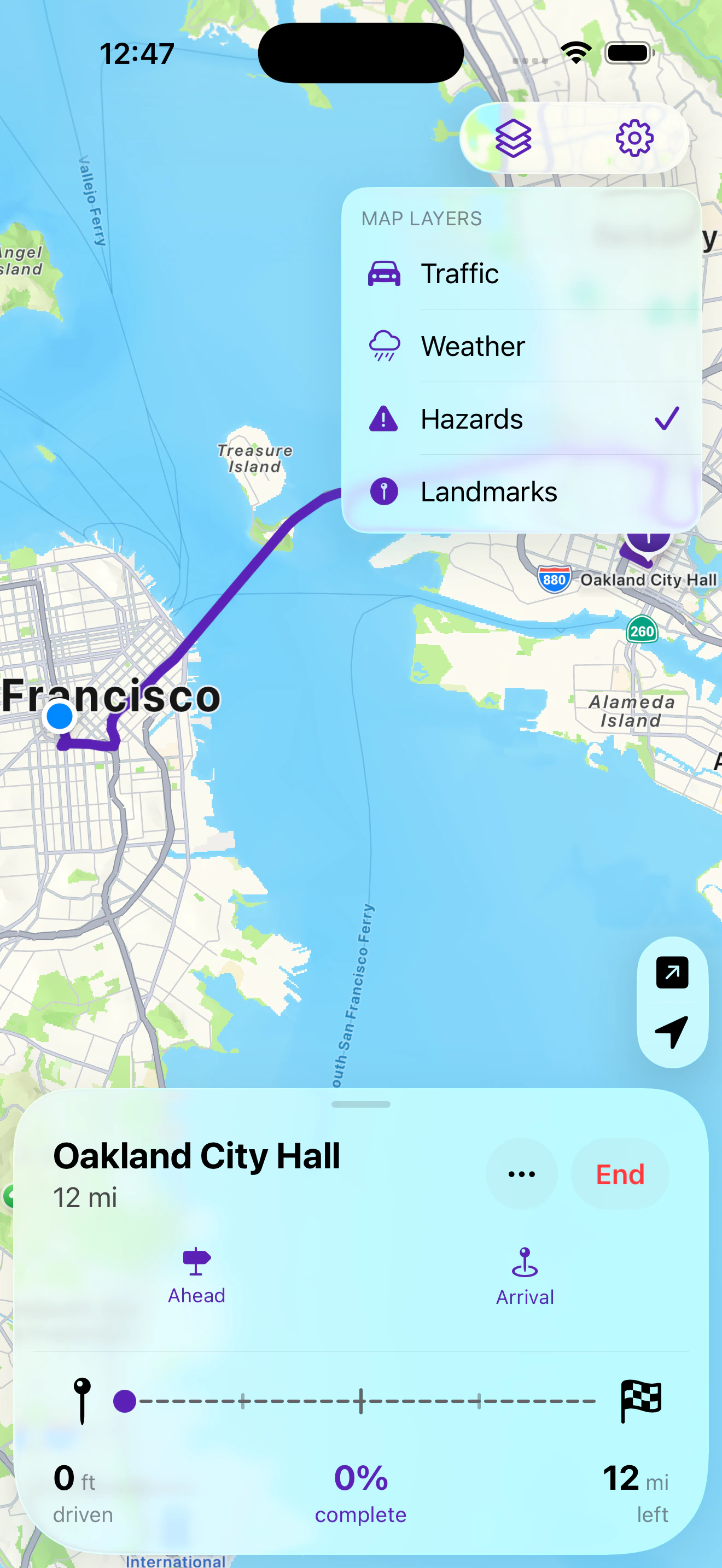
Precipitation radar, forecasts timed to when you'll actually be there, and severe-weather alerts along the way — not for a city you're only passing through.

12 mi

Arrival

Before you get there: parking and food around the destination, measured from it. See how it works.

Done

Hand off whenever you want turns

Headed doesn't try to replace Apple Maps. One tap sends the route across for turn-by-turn, stops included. Seeing the whole trip is Headed's job; the turns are Apple's.

On the screen

Built to be read at a glance

Real screens from the app — not renderings of one.

Privacy

Everything stays on your phone

Headed has no server. That isn't a policy position — there is genuinely nowhere for your trips to go.

  • No account, no login, nothing to sign up for.
  • No analytics, no ad tracking, no third-party SDKs in the app.
  • Saved places, recent destinations, and preferences live on your device only.
  • Delete the app and it's all gone — there was never a copy anywhere else.

Location goes to Apple for routing and weather, and a map area goes to RainViewer and Open Charge Map when you use those features. The policy says exactly what each one sees.

Read the privacy policy

Support

Stuck on something?

Headed has no account system, so there's nothing to reset and no ticket queue to wait in — a message reaches a person.

Get help

Questions, bugs, or something that behaved oddly on a drive.

Send a message

Common answers

Why there's no turn-by-turn, why location is asked for, and what to do when a route or place looks wrong.

Read the support page

Your data

What stays on your device, and what each outside service receives.

Privacy policy